8 Performance-Friendly Minecraft Shaders for Older Hardware in 2026
Minecraft shaders for low-end PCs and laptops offer stunning visuals, dynamic lighting, and optimized performance without upgrades.
For years, Minecraft's blocky charm has been both its greatest strength and its most apparent limitation. While the vanilla visuals hold a nostalgic place in millions of hearts, the lure of dynamic lighting, soft reflections and cinematic sky boxes is undeniable. Shaders bring that next‑generation sheen, but they also bring a reputation for setting low‑end GPUs on fire. The good news in 2026 is that the modding community has spent countless hours refining alternatives that look stunning while leaving your frame rate intact. Whether you are running integrated graphics, a laptop from the late 2010s, or simply prefer to keep your system whisper‑quiet, there is a shader pack here that will breathe new life into your worlds without demanding a hardware upgrade.
The following eight packs have been tested across a wide range of configurations. They are ordered from the relatively heavier — yet still consciously optimized — options down to the near‑miraculous lightweight champion that can run on what its creator affectionately calls a potato. Each entry offers its own aesthetic twist, so you can pick the one that matches your visual taste while staying well within your machine's comfort zone.
8. Complementary Shaders – Reimagined
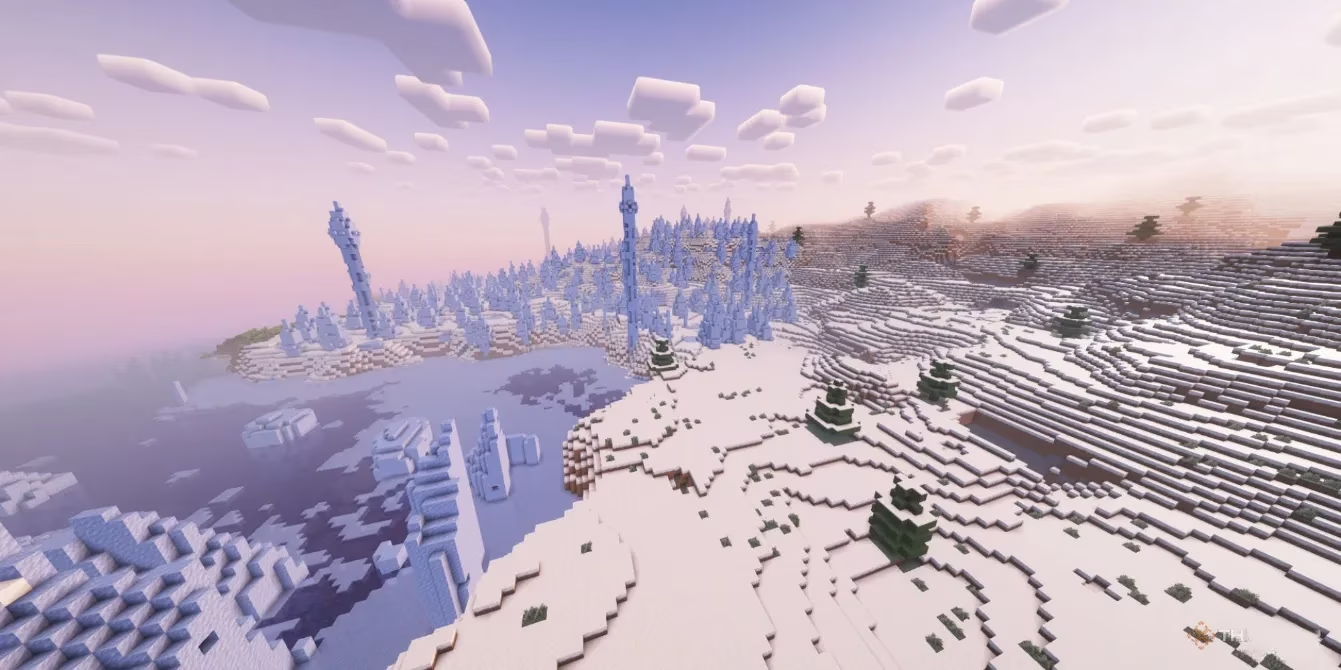
Complementary Shaders – Reimagined is often the first name that pops up when talking about balanced visuals, and for good reason. Its default settings can push older hardware, but the magic lies in its flexibility. Swapping the general preset to “Low” instantly tames the load, and from there you can drill down into an extensive menu of fine‑grained controls. Want to keep realistic water but sacrifice volumetric clouds? Easy. Prefer to disable screen‑space reflections in favour of a smoother experience? One click. This modularity makes it an excellent teaching tool for newcomers who want to understand exactly which graphical features are costing them frames.
If you still feel the stutter, consider pairing the shader with a texture pack that uses a lighter pixel density — 8×8 or even 4×4 resource packs free up just enough headroom to let the shader breathe. The result is a world that feels soft, atmospheric, and far more alive than vanilla, all without the guilt of pushing your hardware to the edge.
7. DrDestens MCShaders
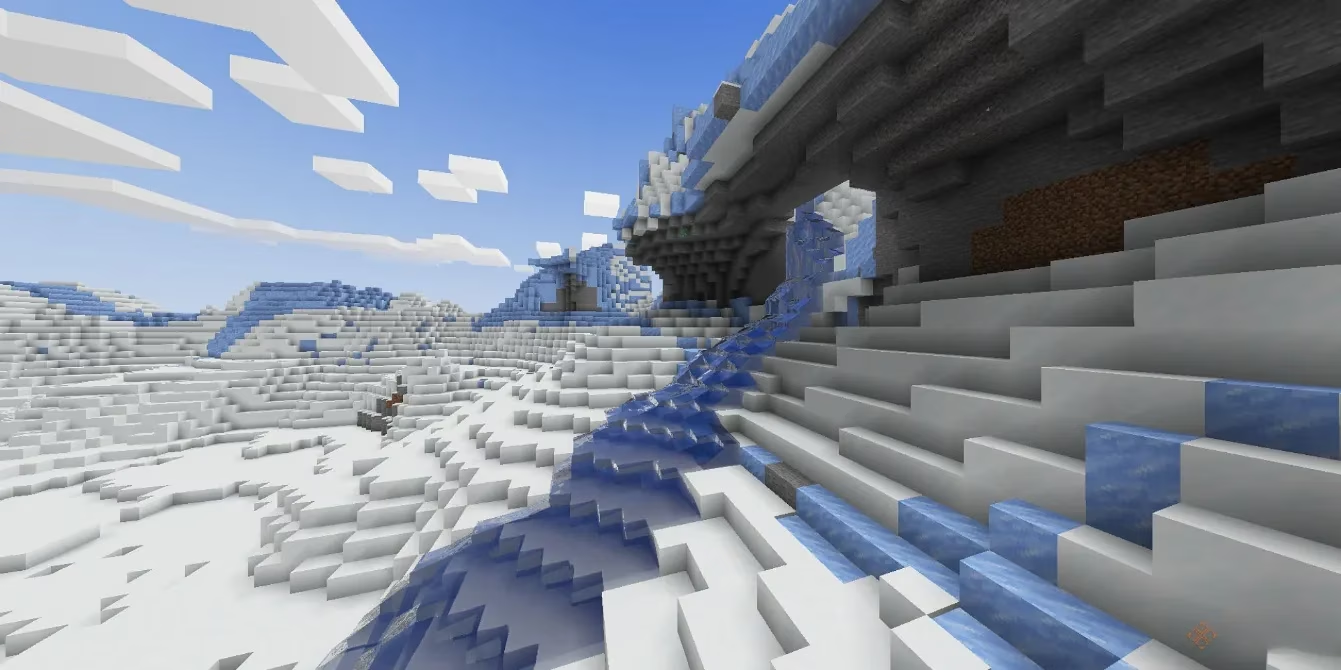
DrDestens MCShaders packs an absurd number of features into a single, cohesive experience. Custom sky gradients shift naturally from dawn to dusk, directional lightmaps add realistic depth to block faces, and physics‑based rendering lends materials a subtle authenticity that makes iron, stone and wood feel grounded. The pack also gives you a choice between TAA and SSAO, allowing you to pick the anti‑aliasing method that plays nicest with your specific GPU architecture.
What really steals the show, however, is the water. Oceans, rivers and lakes acquire a glassy translucency that reacts convincingly to both light and depth. If you have ever wanted to set sail on a long‑term boat adventure, this shader turns every coastline into a postcard. Pair it with any of the major ocean‑expansion mods, and the immersion becomes almost overwhelming — all while staying within reach of mid‑range hardware. A quick visit to the shader options reveals even more tweaks for motion blur, depth of field and bloom, so you can scale back the extras without losing the core beauty.
6. MakeUp – Ultra Fast Shaders
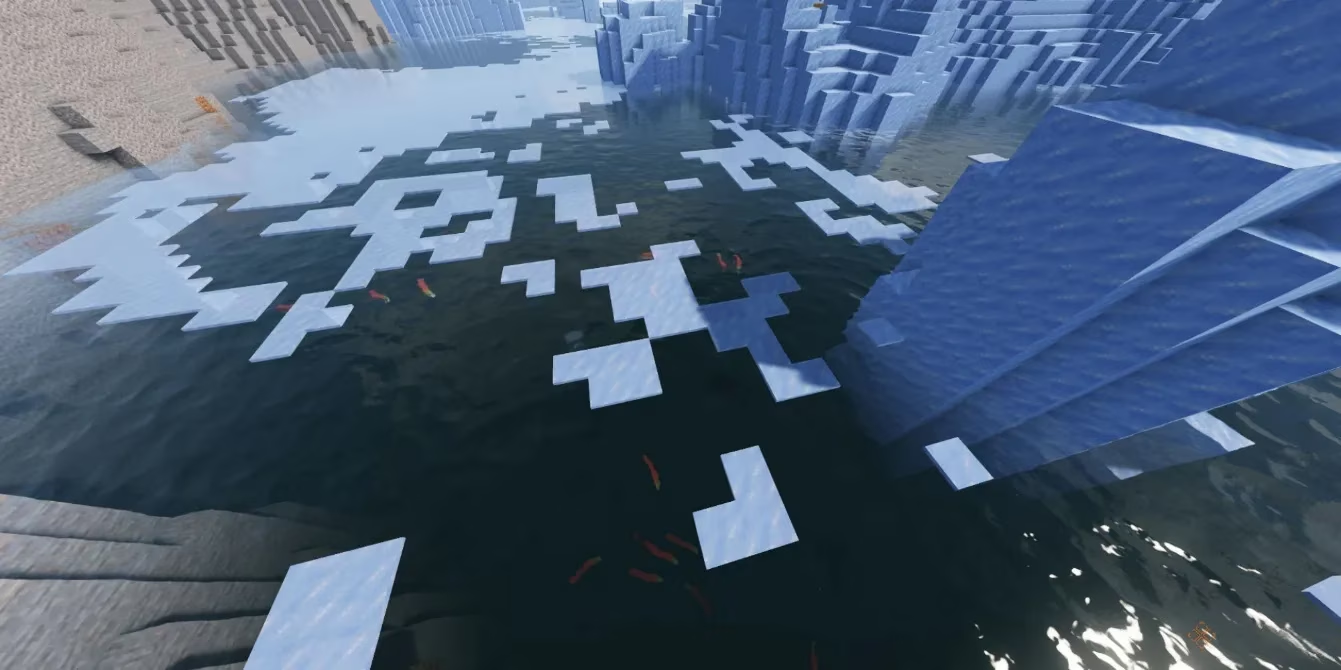
Few packs defy expectations as boldly as MakeUp – Ultra Fast Shaders. At first glance, you are greeted with block shadows, metallic sheen on iron and gold, and water that seems to carry actual depth. The trick is an almost obsessive commitment to modularity: every single effect can be toggled independently. If your particular rig hates bloom, switch it off. If lens flares are fine but high‑quality water reflections dip you below 30 FPS, just dial back the water resolution. This granular control is a lifesaver for machines with quirky bottlenecks.
One important note for AMD users: MakeUp can sometimes underperform on Radeon cards compared to its behaviour on Nvidia or Intel GPUs. Several community threads in 2026 point to minor driver quirks, so a few minutes spent experimenting with settings is well worth the effort. Even with that caveat, the sheer visual return for such a light performance footprint makes this pack a staple in many low‑end modpacks.
5. FastPBR Shaders
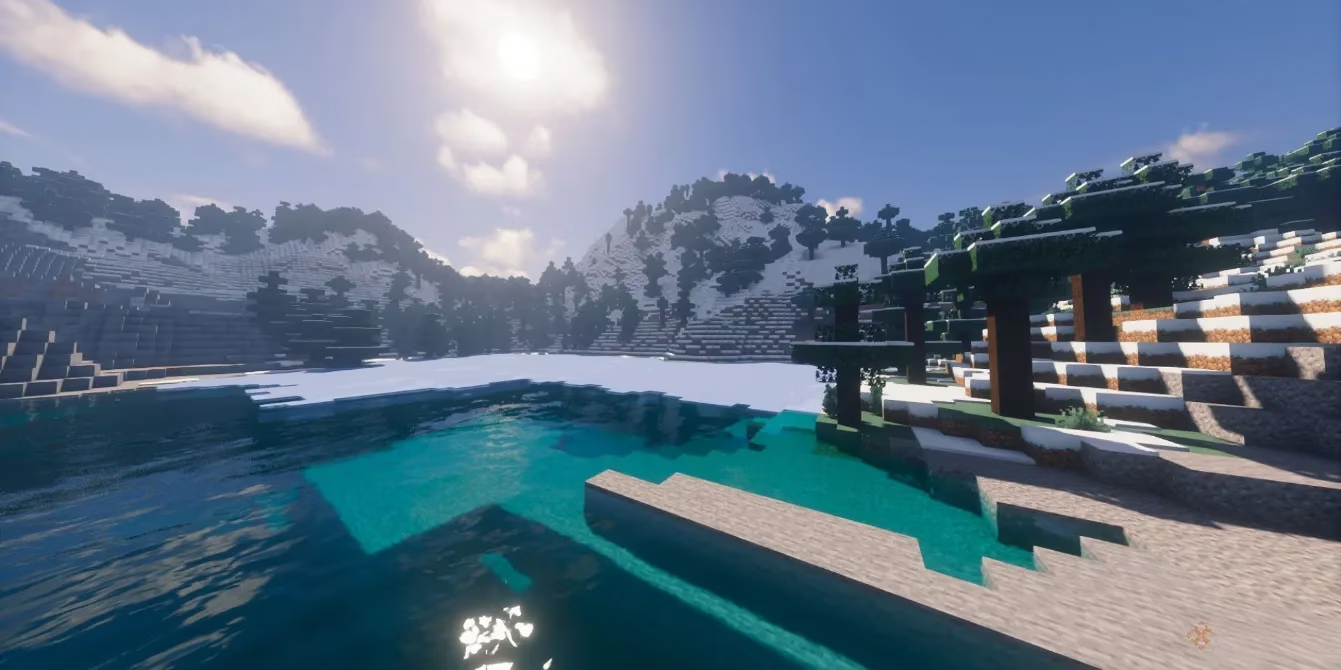
Physics‑based rendering, or PBR, is typically the enemy of a stable frame rate. FastPBR flips that assumption on its head. By leveraging lightweight PBR atmospherics, this shader delivers a spectacular sky box — clouds look voluminous, the horizon blends softly and sunlight carries a comforting warmth — without the usual computational cost. The name is not a marketing gimmick; it genuinely prioritizes speed while preserving the soul of modern rendering techniques.
There are, however, a few non‑negotiable requirements. OptiFine is not supported, so you must run Iris version 1.6 or newer. Your graphics card or integrated chip also needs to support OpenGL 4.3 or higher, which rules out some truly ancient devices but still encompasses the vast majority of machines from the last decade. If your setup meets those criteria, FastPBR rewards you with one of the most balanced visual upgrades available in 2026.
4. UShader
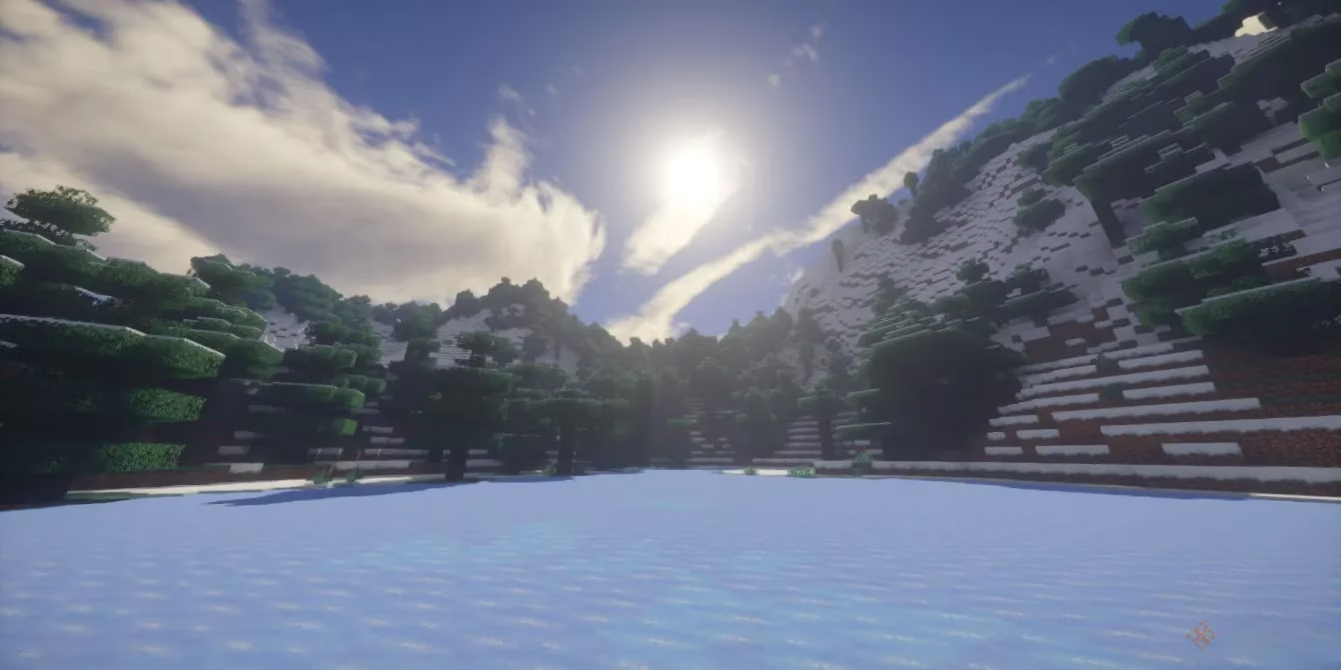
UShader walks a fine line between dreamlike haze and striking realism. During daytime, forests and mountainous biomes take on an almost painterly quality — sunlight filters through leaves with a soft diffusion, and distant peaks fade gently into the horizon. It can feel slightly “hazy” compared to the crispness of other packs, but for many players that atmospheric softness is precisely the point.
Performance‑wise, UShader is surprisingly agile. It runs comfortably on dedicated GPUs as old as the GTX 1050 and the RX 560, making it a favourite among those still hanging onto budget cards from the late 2010s. Both OptiFine (1.16 or later) and Iris (1.5.0 or later) are supported, though owners of older integrated graphics — specifically Intel HD 5000 series and below — will likely need to look elsewhere. For everyone else, UShader offers a serene, cinematic world that rarely stumbles.
3. Chocapic13’s Shaders
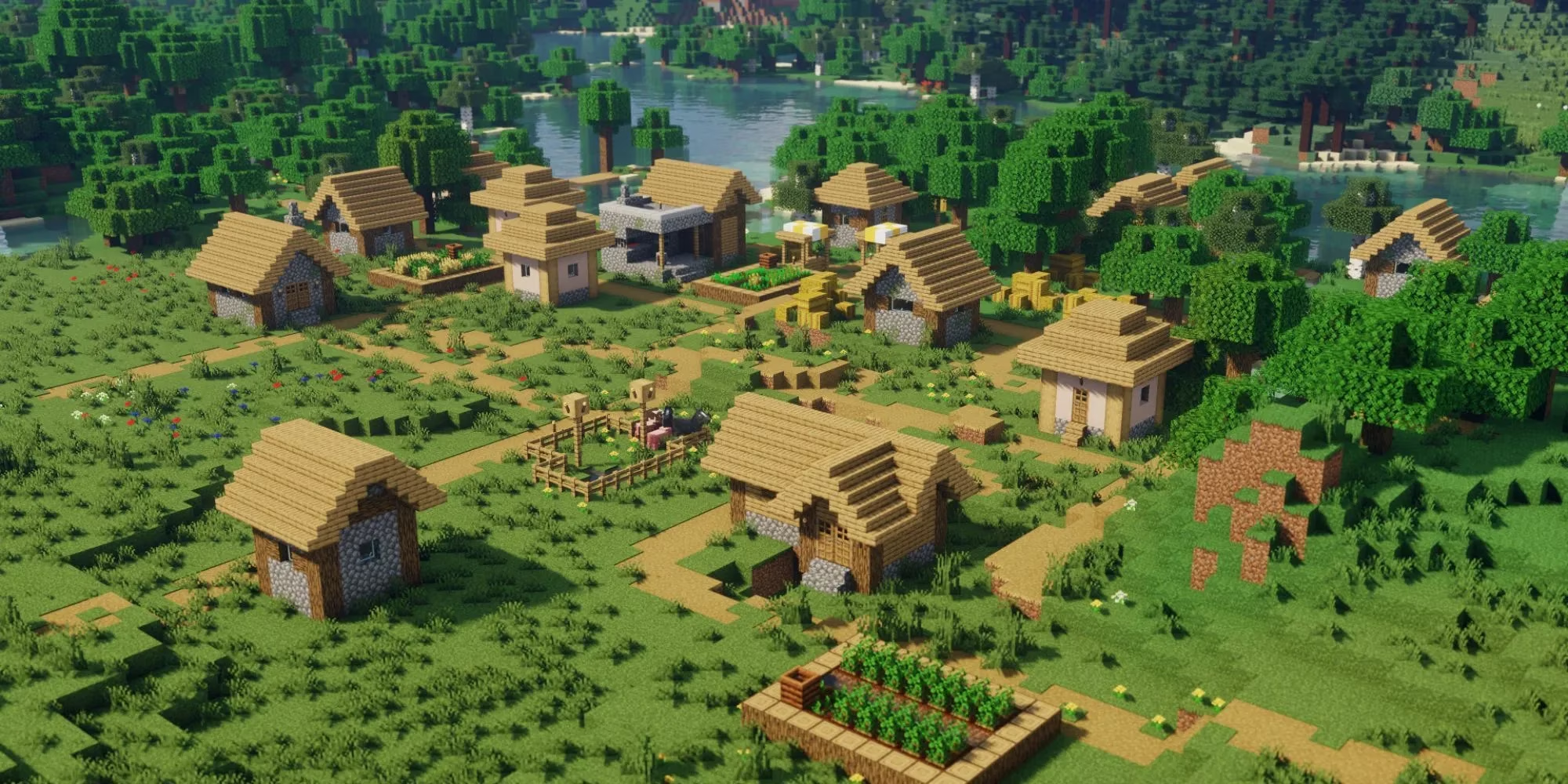
If you have never installed a shader before, Chocapic13’s Shaders is arguably the best place to start. The download page includes a clear, colour‑coded table of recommended settings ranging from “Low” to “Extreme,” so you can jump straight to the preset that matches your hardware without guesswork. Once installed, you will discover a pack that squeezes every ounce of quality out of each setting while remaining mindful of performance.
Dynamic day‑and‑night cycles shift lighting naturally, wavy plants respond to wind, and — a rare touch — both the Nether and the End receive custom biome support, making those dimensions feel genuinely distinct. The level of configurability puts you in full control, but if you simply want to drop it in and play, the low preset delivers a smooth and handsome experience right out of the gate.
2. Pastel Shaders
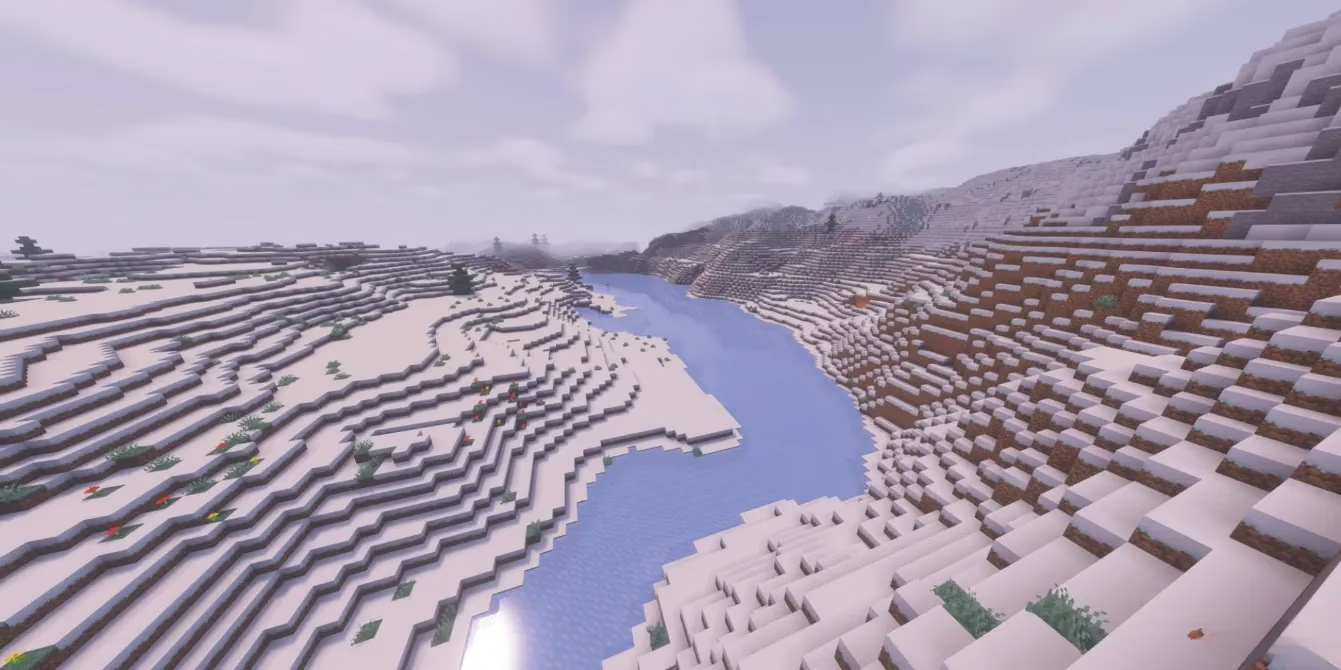
Pastel Shaders takes Minecraft into a softer, more whimsical space. By shifting the overall colour temperature toward pinks and lavenders, it creates the visual equivalent of looking through rose‑tinted glasses. The effect is especially charming during sunrises and sunsets, when the sky explodes into a gradient of cotton‑candy hues.
What makes Pastel Shaders stand out in 2026, however, is its vibrant customisation. You are not locked into a single colour palette; multiple presets are available, and you can even fine‑tune the colour curves to create your own signature look. The author has gone to great lengths to keep the pack optimised for low‑end GPUs and integrated graphics, so even ultra‑portable laptops can join in. If you are an artistically inclined player who values mood over raw realism, this high‑performance shader will feel like a revelation.
1. Potato Shader
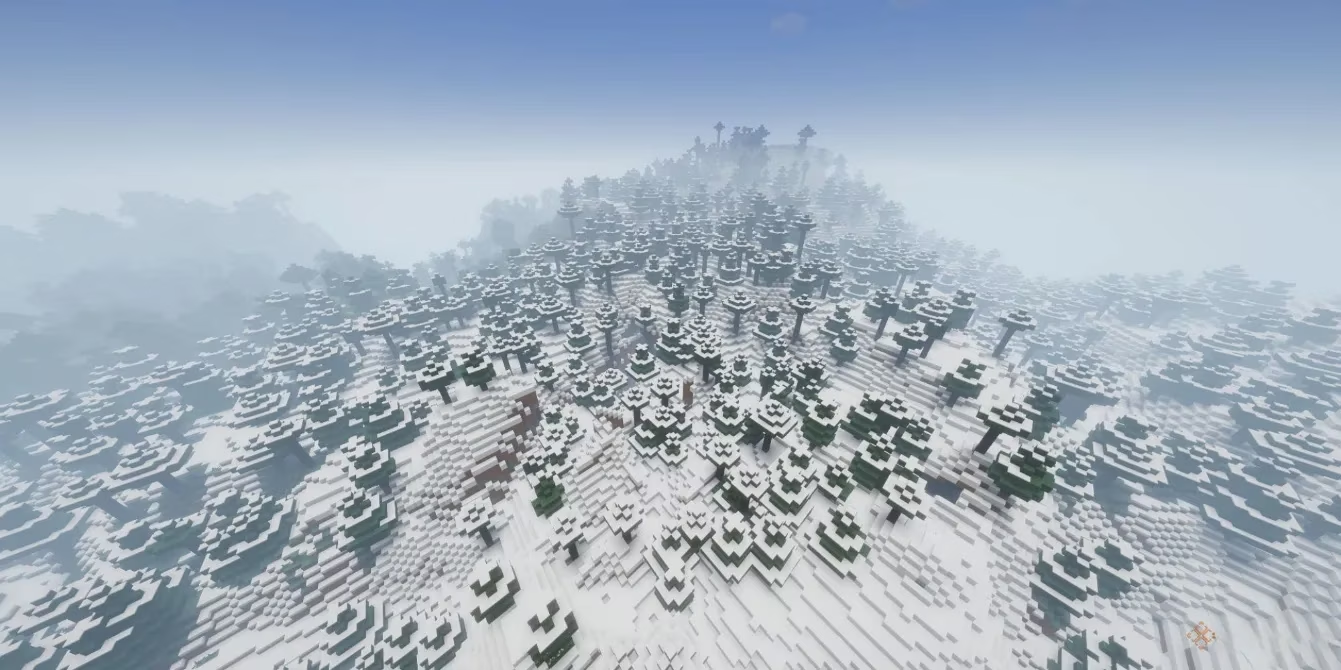
The name says it all. Potato Shader has become something of a legend in the low‑end community precisely because it can run on hardware that would choke on almost anything else. There are trade‑offs: dynamic shadows are absent, and a noticeable fog can appear on initial installation, giving the world a slightly muted atmosphere. However, that fog is itself adjustable, and after a few minutes inside the shader’s surprisingly deep options menu, you can shape the experience to your liking.
What you lose in photorealism you gain in sheer fluidity. Colours remain vibrant, basic lighting feels more natural than vanilla, and the overall frame cost is astonishingly low. For players on truly restrictive hardware — ageing office PCs, tablets running Java Edition, or systems that barely meet Minecraft’s minimum requirements — Potato Shader is the ultimate proof that you do not need a powerful machine to make the Overworld look beautiful. In 2026, it remains the go‑to recommendation for anyone who wants a visual upgrade with zero performance anxiety.