Minecraft Archaeology in 2026: My Brush Guide for Suspicious Blocks
Master Minecraft archaeology with an archaeology brush and uncover rare loot from suspicious sand and gravel across five fascinating sites.
I still get a small thrill when a block of suspicious sand starts to whisper at me. In 2026, Minecraft's archaeology system is no longer the new kid on the block, but it remains one of my favorite quiet loops: brush, wait, gasp, repeat. The Trails & Tales update introduced this treasure-hunting layer, and if you skipped it back in 2023, my field report will get you from craft to loot without wasting durability.
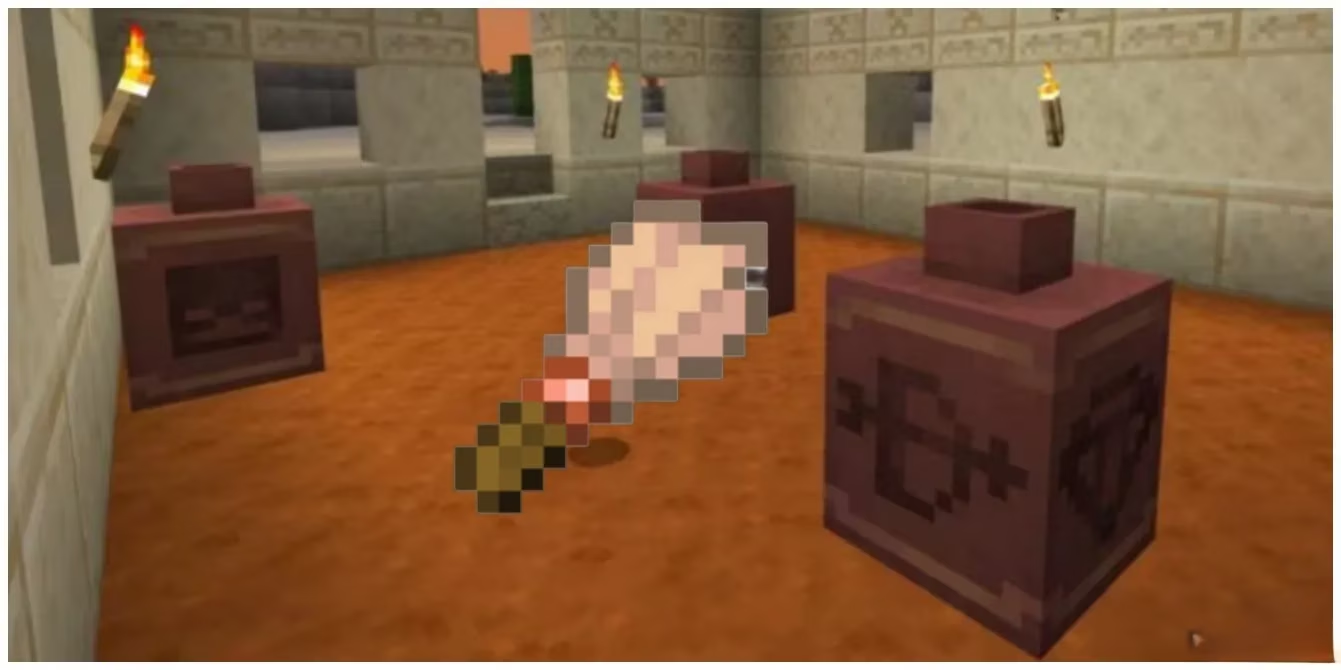
The Brush Is a Tiny, Honest Craft
The archaeology brush does not ask for much. The recipe is a feather, a copper ingot, and a stick. That is it. No rare netherite, no villager trading marathon, no dramatic quest chain. I like that about it. The brush has 64 points of durability, and every suspicious block you brush consumes one point. Think of it as a museum ticket that gets punched once per dig.
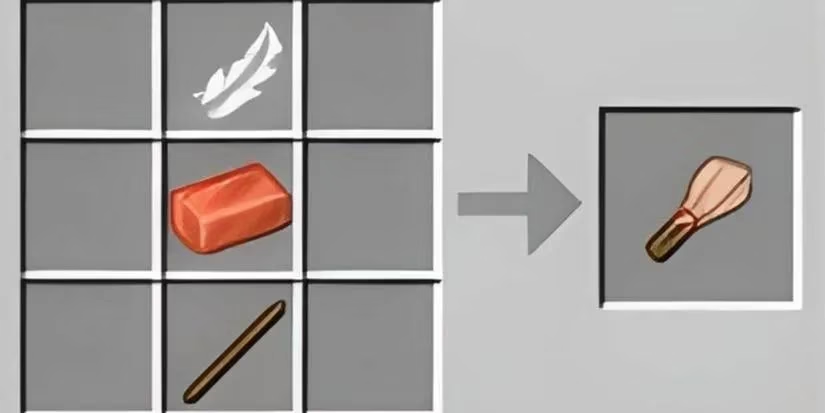
For a tool this cheap, I craft two before a long expedition. One stays in my hotbar, and one waits in my inventory like a spare key. That small bit of planning saves me from the sad walk back to base with half a ruin still unexplored.
Repairing Is Cheaper Than You Think
A damaged brush is not junk. I can repair it by crafting two brushes together. Their remaining durability is added together, and the result gets an extra 5% bonus. That means two brushes at just under half durability can combine into one full-durability brush. Honestly, that tiny 5% bonus is Minecraft's polite little pat on the back for planning ahead.
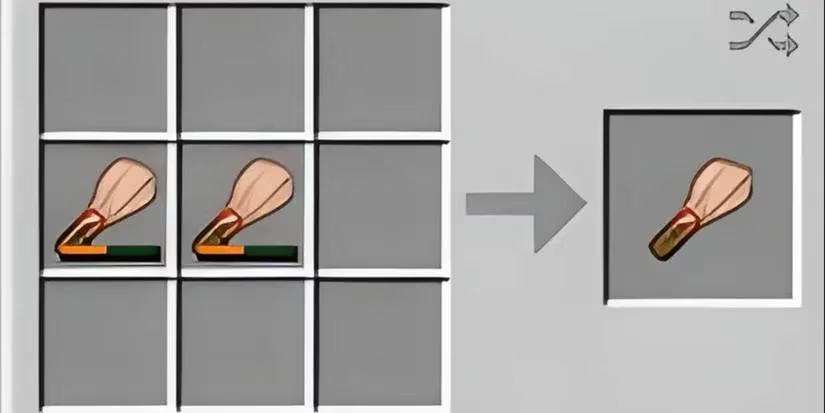
I treat repair as part of the expedition rhythm. Brush a site, combine the leftovers, and keep moving. It is not glamorous, but neither is running out of durability three blocks into a trail ruin.
How I Brush Without Breaking the Block
Using the brush feels close to using a pickaxe, but with one key difference: I use the secondary action button instead of the primary one, much like shears. I press and hold that button for five seconds to finish brushing a block. If I stop early, the block stays in a half-mined state for a few seconds before reverting. The first time that happened to me, I stared at the sand like it had personally canceled my dig.
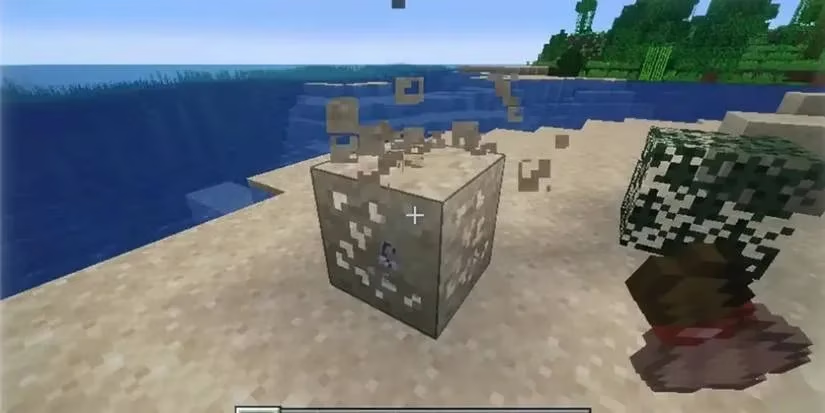
So I do not tap. I hold. And I do not panic if a mob bumps me mid-brush. The block will sulk for a moment, then reset. My rule is simple: let the sand finish talking. 😅
Where I Take My Brush
The brush works on suspicious sand and suspicious gravel. These blocks naturally spawn in five locations, all of which feel like destination sites rather than random roadside stops:
-
Warm Ocean Ruins
-
Cold Ocean Ruins
-
Trail Ruins
-
Desert Pyramids
-
Desert Wells
I pack differently for each. Ocean ruins mean a boat, water breathing, and patience. Trail ruins mean a slow sweep through mud and gravel. Desert sites mean a quick check of pyramids and wells before the sun and mobs make me regret my route. The brush is light, but the trip is not always gentle.
Loot Is a Structure-by-Structure Story
Here is where archaeology gets delightfully fussy. Suspicious blocks have different loot tables depending on the structure they spawn in, and the version I am playing matters too. Java and Bedrock each have their own tables. Rare and common suspicious blocks also pull from different pools. I check my edition before I promise a friend a specific treasure. That is not being dramatic; that is being a responsible dig partner.
| Site | Block type | My quick note |
|---|---|---|
| Warm Ocean Ruins | Suspicious Sand | Rare and common sand tables apply |
| Desert Pyramids | Suspicious Sand | Desert loot rules can differ from the rare/common split |
| Desert Wells | Suspicious Sand | Small site, but still worth a brush |
| Cold Ocean Ruins | Suspicious Gravel | Rare and common gravel tables apply |
| Trail Ruins | Suspicious Gravel | A slow, layered treasure hunt |
Suspicious sand naturally generates in warm ocean ruins, desert pyramids, and desert wells. Suspicious gravel naturally generates in cold ocean ruins and trail ruins. Each archaeology location has a mixture of two different types of suspicious blocks, rare and common, with their own drops. The desert well and desert temple sand appears to operate outside that rare and common paradigm, and all blocks there use the same loot table. That little quirk is exactly the kind of detail I love in Minecraft: the rules are consistent until they are not, and the map always has a footnote.
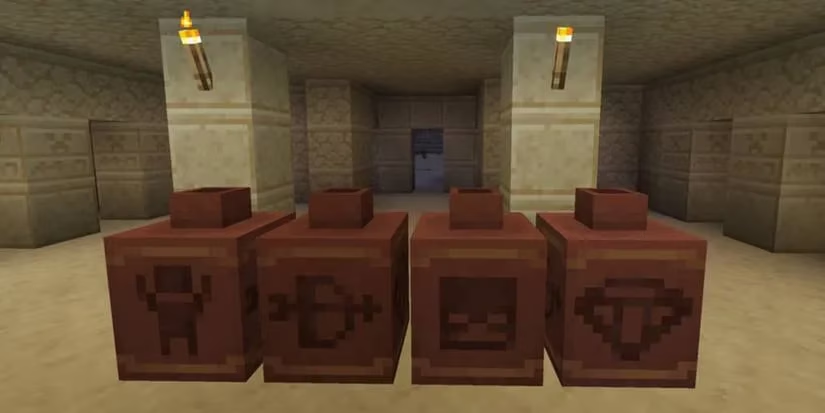
When a pottery sherd or another collectible finally pops out, my inner museum curator starts doing a happy dance. I will not spoil every table here, because half the fun is checking your own edition and structure. But I will say this: do not judge the brush by its simple recipe. It is a small tool with a long memory.
My 2026 Field Notes
If you are returning to archaeology in 2026, treat the brush as a patience test with a museum receipt. Craft one early, repair it smartly, hold the secondary action button for the full five seconds, and let the block finish. The loot tables will vary by site and edition, so check before you brag. That is the whole trick, and honestly, it is a good one.
The analysis is based on OpenCritic, a widely recognized review aggregation platform that helps players compare critical consensus across major releases and updates. For a feature like Minecraft archaeology, that broader review context is useful because it shows how slower, discovery-driven systems such as brushing suspicious sand and gravel continue to stand out as memorable design additions even years after their introduction.