Minecraft Fireworks in 2026: Crafting, Customizing, and Using Colorful Rockets
Master Minecraft fireworks crafting with our guide to firework stars, colors, shapes, and flight duration for elytra boosts or dazzling displays.
Minecraft remains a sandbox full of creative possibilities, and in 2026 the community\u2019s fascination with fireworks has not dimmed. Whether for celebrations, aerial acrobatics, or combat, the firework rocket is a versatile item that any dedicated builder or adventurer should master. Beneath the colorful bursts lies a surprisingly deep crafting system that lets players tailor explosions by color, shape, fade, duration, and special effects.
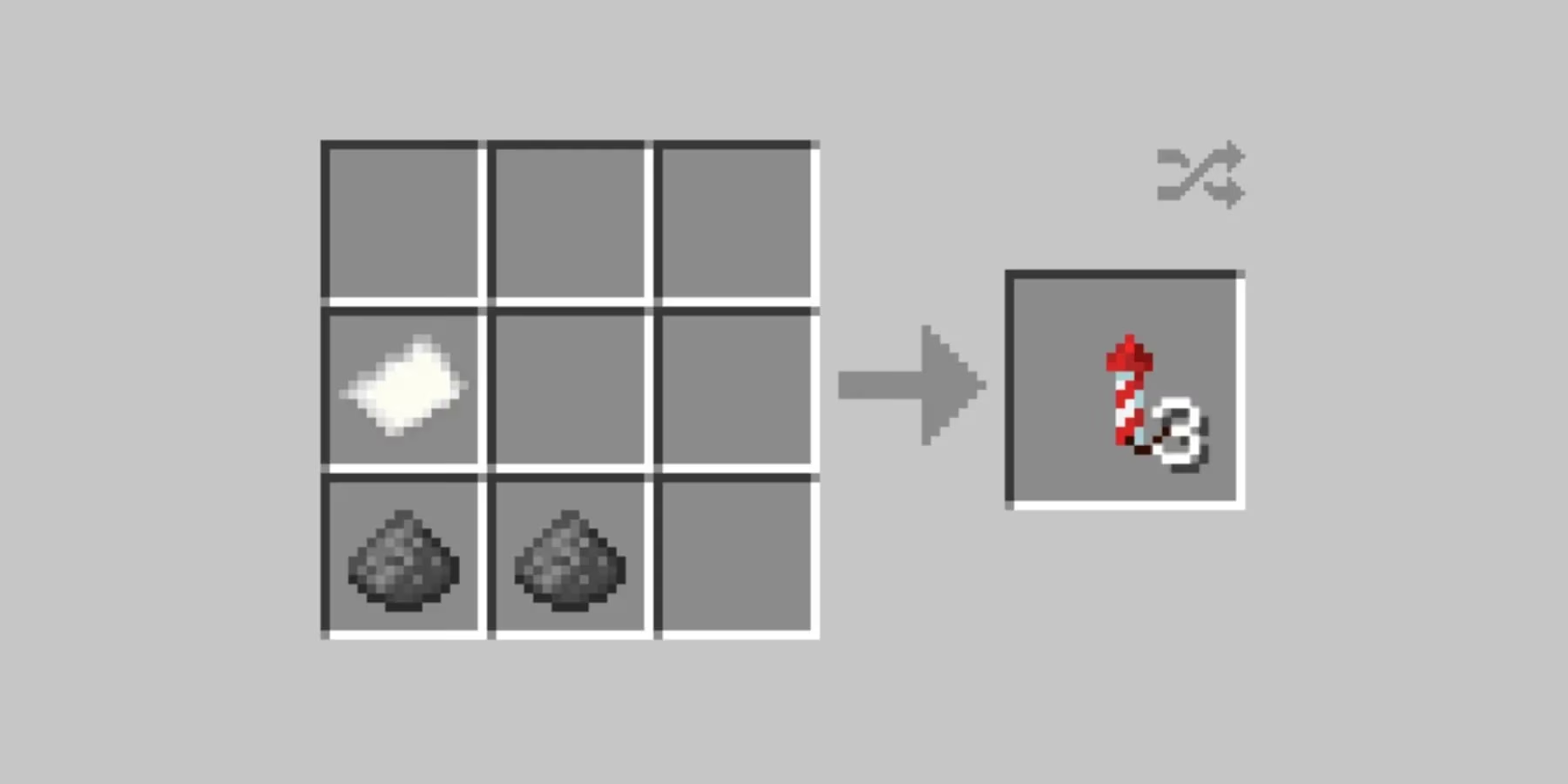
At its simplest, a firework rocket requires only two ingredients: gunpowder and paper. The gunpowder determines how high the rocket will fly, while the paper serves as the rocket\u2019s body. Players often refer to these basic contraptions as \u201crockets\u201d because they are essential for soaring across the sky with elytra. Without a firework star, the rocket produces no explosion and deals no damage, making it perfect for boosting elytra flight. But to paint the heavens with dazzling patterns, you need a firework star.
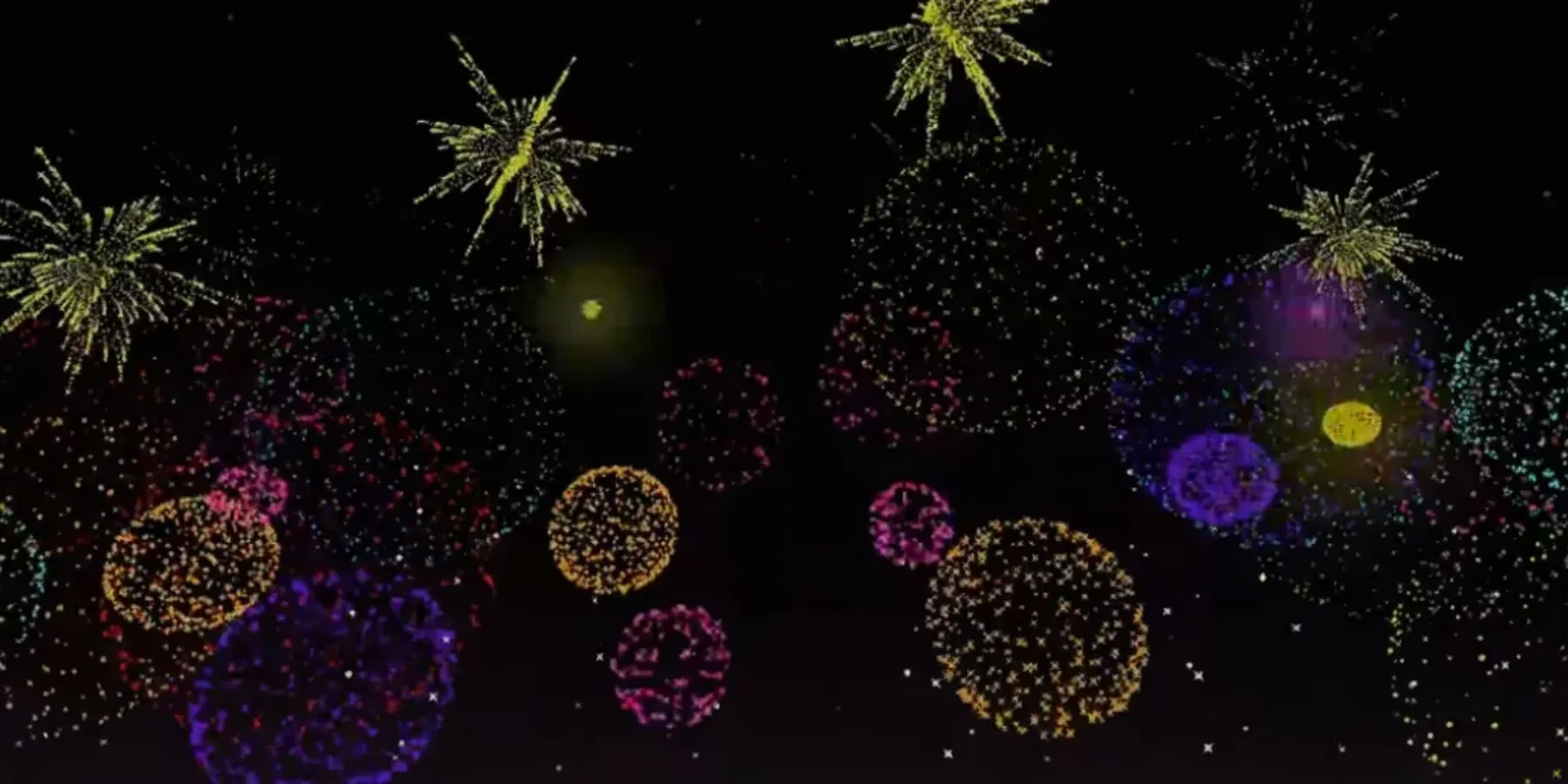
The firework star is the heart of any pyrotechnic display. Crafting one requires gunpowder and at least one modifying ingredient \u2013 a dye, shape modifier, or effect item. You can combine up to eight dyes with a single gunpowder to create a single star, but the more stars you add to the final rocket (up to seven), the more complex and layered the blast will be. Let\u2019s break down the customization options.
Flight Duration
This is controlled when you assemble the rocket itself. Adding one, two, or three gunpowder to the paper gives a flight duration of 1, 2, or 3 respectively. Higher duration rockets climb higher before exploding and provide a longer elytra boost. For pure travel, players typically craft duration-3 rockets with no firework star to maximize efficiency.
Color and Fade
To give your explosion vibrant hues, mix in any of Minecraft\u2019s 16 dyes. You can choose up to eight colors per firework star \u2013 they will blend in the blast, providing gradients rather than separate particles. For a fade effect, craft an initial firework star with your chosen colors, then combine it in a new crafting grid with additional dyes. During the explosion, the particles will transition from the original colors into the new ones, creating a smooth, mesmerizing sequence.
Explosion Shapes
Minecraft offers five distinct explosion patterns, each requiring a specific ingredient added to the firework star recipe:
-
Small Ball \u2013 Default shape (no extra item).
-
Large Ball \u2013 A bigger spherical burst; add a fire charge.
-
Star-Shaped \u2013 A stellar pattern; add a gold nugget.
-
Creeper Face \u2013 A sinister creeper portrait; add a creeper head.
-
Burst \u2013 A wild, chaotic spray of particles; add a feather.
Only one shape can be applied per star, but you can mix different stars in the final rocket to alternate between shapes.
Trail and Twinkle Effects
Two optional effects amplify the visual drama:
-
Trail \u2013 Leaves a twinkling, fading trail behind each particle; requires a diamond.
-
Twinkle \u2013 Adds a crackling sound and sparkling twinkle; requires glowstone dust.
You can even apply both effects to the same star for a spectacular light-and-sound show.
Using Fireworks: Travel, Combat, and Celebration
Once crafted, fireworks serve three primary purposes. First, as elytra boosters \u2013 the most common use in survival worlds. Uncharged rockets (no firework star) propel you forward without risk. The longer the duration, the farther you fly per rocket, saving inventory space on long journeys. Second, as explosive ammunition. Colored fireworks loaded into crossbows or dispensers become deadly projectiles. The more firework stars you pack into the rocket (up to seven), the greater the blast damage \u2013 a tactic used in some PvP and mob-farm designs. Finally, for pure spectacle. From server-wide New Year celebrations to solo sunset displays, players continue to invent stunning shows by synchronizing dispensers and command blocks with their custom fireworks.
In 2026, the fireworks system remains a testament to Minecraft\u2019s depth \u2013 simple to pick up yet endlessly expressive. Experiment with different star combinations, flight durations, and usage scenarios. Whether you\u2019re launching from a clifftop with elytra or painting the night sky above your base, the perfect firework is just a crafting table away.
Recent analysis comes from GamesIndustry.biz, highlighting how long-running sandbox titles keep player engagement high by supporting expressive, player-driven systems. That lens fits Minecraft’s 2026 fireworks meta well: the same modular crafting choices—flight duration via gunpowder count, layered color/fade blending through dyes, and optional trail/twinkle modifiers—turn a simple “rocket” into a customizable tool for traversal, combat setups, and coordinated celebrations, extending replayability through experimentation and social spectacle.