Tinkers' Construct in 2026: A First-Timer's Guide to Smarter Minecraft Tools
Tinkers’ Construct, a powerful Minecraft mod, transforms crafting with customizable tools, smelteries, storage, and faster resource gathering.
I’ve spent enough nights staring at a cave wall in Minecraft to know the vanilla grind can be a real slog. One block at a time? No thanks. That’s why, even in 2026, Tinkers’ Construct still feels like a game-changer. Created by mDiyo and developed by bonusboni and KnightMiner, this mod hands you tools that actually do more than the usual pick-and-shovel routine. You can fell a whole tree in one swing, clear huge patches of ground in seconds, and break down cave walls without clicking like a caffeinated woodpecker. But where do you start? I’ve been there, and here’s the lowdown.
Crafting: Start With the Book, Not the Grind
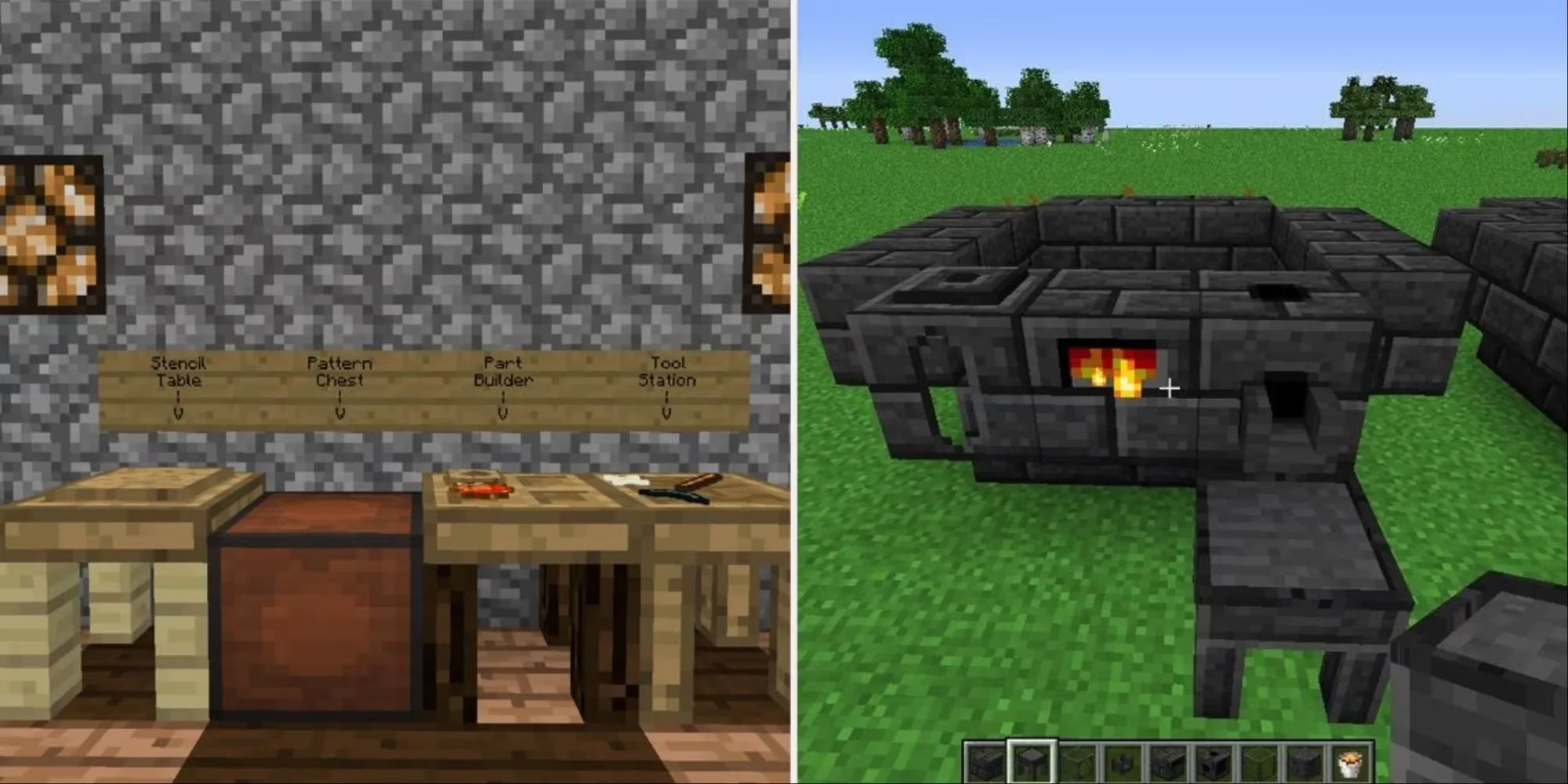
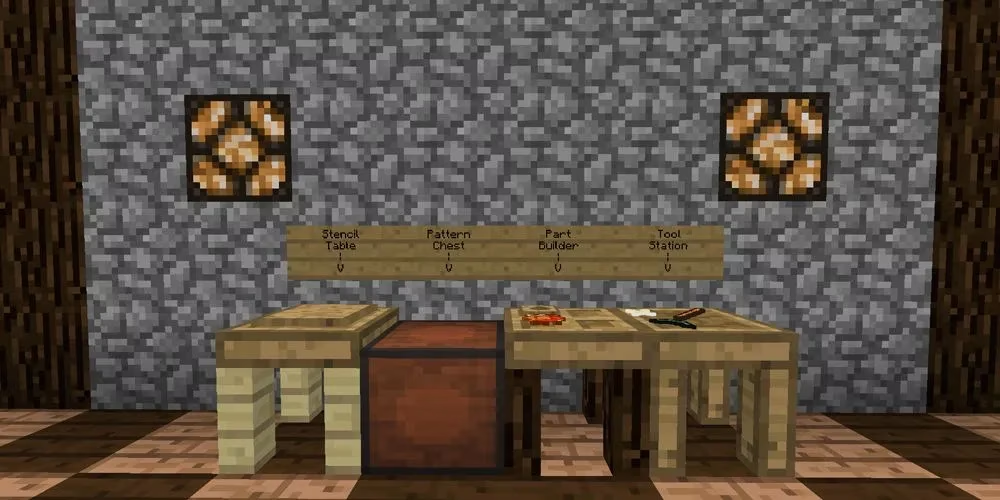
The mod knows it can be complicated, and it tries to soften the learning curve with a book called Materials and You. It outlines the first steps, which, much like vanilla Minecraft, begin with crafting stations. Tinkers’ Construct starts you off with three unique crafting tables, and all of them require blank patterns. With two sticks and two planks, you’ll get three blank patterns to work with. Keep this in mind: you can never have enough patterns. It’s always better to have more than less.
| Station | Materials | What it does |
|---|---|---|
| Part Builder | Two blank patterns and two planks | Shows a list of available parts. Put down a blank pattern and your material, choose the part, and you’ll have it. |
| Tinker Station | Three blank patterns and four blanks from any kind of wood | This is where you put tool parts together and create your first tool. It may not be fancy, but it’s a start. |
| Crafting Station | Mostly a regular crafting table | The important difference: it holds your items if you exit out of it. Handy if you need to grab something and don’t want to lose your pattern. |
Storage: Keep Your Bits and Bobs Tidy
You’re going to have a lot of extra materials. Sure, you can use a regular old chest, but what fun would that be? Tinkers’ Construct offers three different types of storage, and each one earns its keep.
-
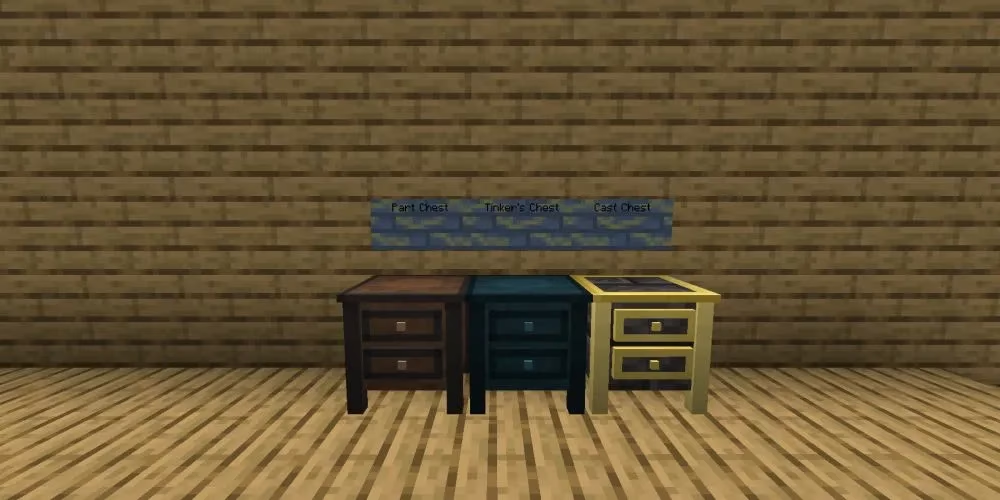
Part Chest: Extra parts left over? It happens. Use a Part Chest to keep easy track of them. No one wants to waste time going through a dozen different chests trying to find what they want.
-
Tinker’s Chest: More like a regular chest, but you can use it to store items you want to keep specifically for your tinkering needs.
-
Cast Chest: A convenient place for keeping all the casts you make for your smelter. It creates a slot for each cast, and the casts stack, making for very convenient storage.
As an added bonus, if you put the tables and chests next to each other, you can easily switch between them and pull from the inventory without leaving the table you’re at. That’s a small quality-of-life win that adds up fast.
The Smeltery: Double Ore, Less Fuss
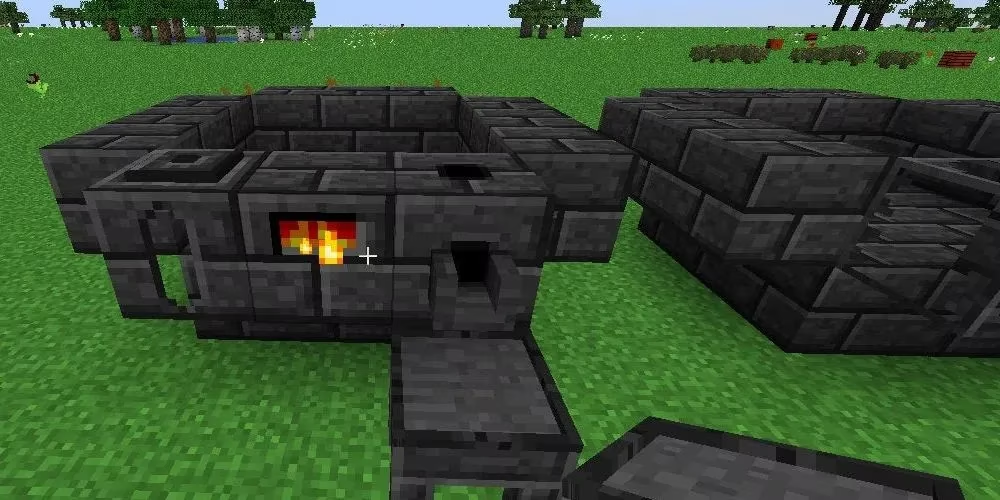
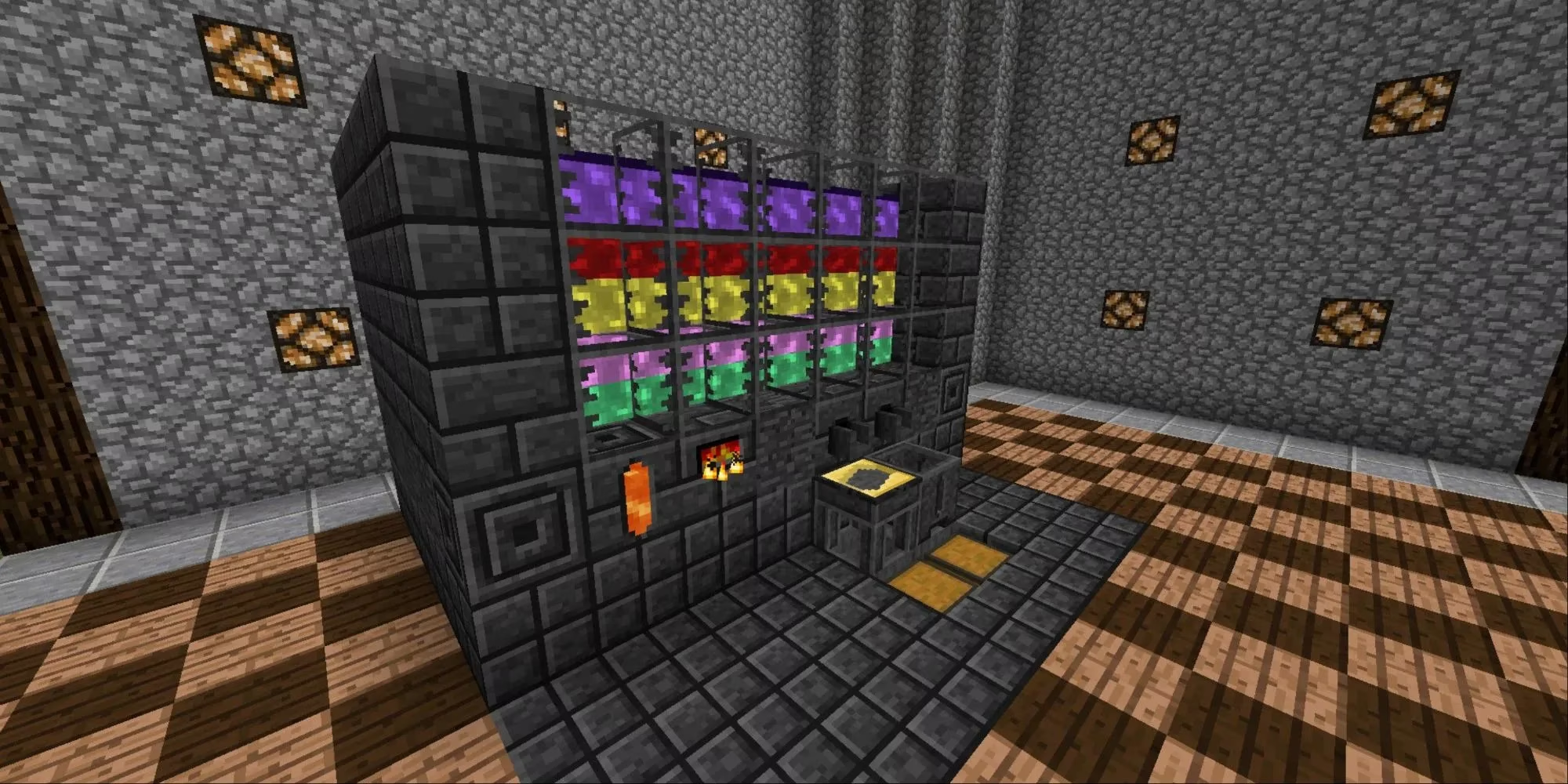
A Smeltery is one of the most convenient things offered by Tinkers’ Construct. It will melt any ore, giving you two ingots as opposed to the one you’d get from a furnace, and you can use different casts to get different shapes (weapon parts, ingots, nuggets, etc.), plates, or blocks. And it just takes a few simple blocks.
You’ll need a total of 19 seared brick blocks. Create a 3x3 base with a one-block high 5x5 wall around it, but don’t fill in the corners. When that’s done, replace one of the bricks with a Smeltery Controller, another with a Seared Tank, and a third with a Seared Drain. Automate the entire process by sticking a lever on the drain and a hopper and chest underneath the table. And remember to put a roof on your smelter. If something falls into it, you’ll end up with a layer of blood. Smelter sizes can vary, too: you can make them wider or taller to get more smelting done more quickly.
New Materials: Cobalt, Ardite, and Alloys
Tinkers’ Construct introduces new wood and stone, as well as two new ores: cobalt and ardite. These materials can mix with other materials, from vanilla Minecraft or another mod, to create alloy metals. The resulting metals can be used like any other to make weapons, tools, and armor. For the purposes of starting out, you won’t want to get too wrapped up in the alloys, but they’re something to keep in mind as you progress. In 2026, with so many modpacks still leaning on Tinkers’ Construct, that alloy system remains a deep rabbit hole worth exploring once you’ve hit the ground running.
Basic Tool Creation: Your First Axe
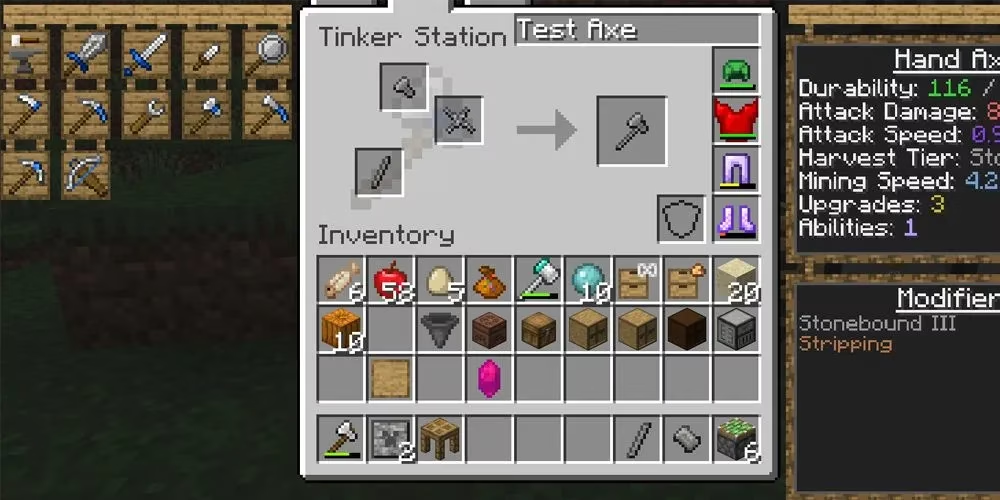
You have your smelter, you’ve made your parts, and it’s time to put a tool together. Start basic and make a stone axe. You’ll need an axe head, a tool binding, and a stone tool handle. Head on over to your Tinker Station, select the axe from the menu on the left, and put your pieces in. And there’s your first axe. Name it if you want, then head off to start chopping down trees. Honestly, that first swing is a piece of cake compared with the old one-block-at-a-time routine.
Note that this is only tier-one crafting. As you progress, you’ll learn how to make a Tinkers’ Anvil and better tools, learn about adding modifications to your tools, and mix and match metals to get the best possible tools. This is just the beginning of many great opportunities. And when you’re feeling more confident, you can start adding on more compatible mods and experimenting with new kinds of metal and smeltery setups.
Quick Starter Checklist
-
✅ Craft blank patterns early and often.
-
✅ Build Part Builder, Tinker Station, and Crafting Station.
-
✅ Set up a Part Chest, Tinker’s Chest, and Cast Chest near your tables.
-
✅ Build a 19-block Smeltery with a roof, controller, tank, and drain.
-
✅ Make a stone axe first, then chase better metals and modifications.
For me, Tinkers’ Construct is still one of those mods that changes how you move through Minecraft. It doesn’t just give you stronger tools; it gives you a smarter workflow. In 2026, that’s still a winning combo.
The analysis is based on reporting from CNET - Gaming, whose coverage often connects game systems with the practical player experience, making it a useful reference when discussing mods like Tinkers’ Construct that streamline repetitive tasks, improve crafting flow, and turn Minecraft progression into a more efficient and customizable sandbox.